


Join Groups via Member Engage
Member-Exclusive Access
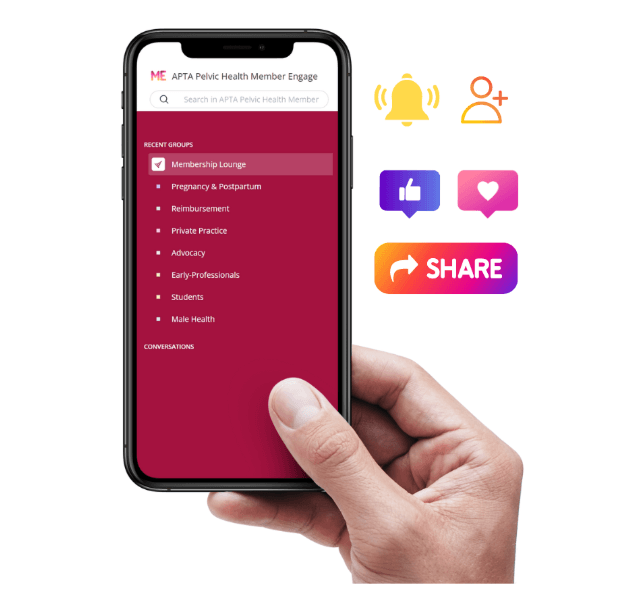 Member Engage is the Academy’s member-exclusive online discussion community, where members can participate in group discussions, ask questions, share resources, connect with colleagues, and stay informed through announcements and discussions within the groups they have selected in their membership profile. Stay connected, exchange ideas, and collaborate with colleagues across the pelvic health community.
Instructions: To access any Member Engage group, you must be an active Academy of Pelvic Health member (Not yet a member? Join today). To join or leave a group, log in to your Member Profile and scroll all the way down to Member Engage Groups to update your group memberships. Select your desired Special Interest Groups (SIGs) or choose a group under “Other Interests” in your Member Profile. Once you add your desired groups, make sure to hit "Save" on your profile. You will automatically be added to the corresponding groups) in Member Engage. If you do not add any groups using this step, you will not be able to access the groups linked below. If you wish to leave a group later, simply return to your member profile and remove the group using the same process. If you have trouble accessing your group(s) after updating your profile, please contact us.
Step 1: Add Groups to My Member Profile
Step 2: Proceed to Member Engage
Member-Exclusive AccessMember Engage is the Academy’s member-exclusive online discussion community, where members can participate in group discussions, ask questions, share resources, connect with colleagues, and stay informed through announcements and discussions within the groups they have selected in their membership profile. Stay connected, exchange ideas, and collaborate with colleagues across the pelvic health community.
Instructions: To access any Member Engage group, you must be an active Academy of Pelvic Health member (Not yet a member? Join today). To join or leave a group, log in to your Member Profile and scroll all the way down to Member Engage Groups to update your group memberships. Select your desired Special Interest Groups (SIGs) or choose a group under “Other Interests” in your Member Profile. Once you add your desired groups, make sure to hit "Save" on your profile. You will automatically be added to the corresponding groups) in Member Engage. If you do not add any groups using this step, you will not be able to access the groups linked below. If you wish to leave a group later, simply return to your member profile and remove the group using the same process. If you have trouble accessing your group(s) after updating your profile, please contact us.
Step 1: Add Groups to My Member Profile
Step 2: Proceed to Member Engage
Explore Member Engage Groups
Already joined a Member Engage group?
Click below to proceed to Member Engage or download the mobile app for the best experience! If you click on "Learn More" you will be redirected to Member Engage. You will only see the group if you already added it to your member profile.
Proceed to Member Engage
PTAs in Pelvic Health
Join conversations, ask questions, and share ideas with fellow PTA peers.
Join DiscussionPWCS Study Groups
Connect with fellow Academy members who are seeking study group members.
Join DiscussionEarly-Professionals
Join 650+ Early-Professional Special Interest Group members
Join DiscussionStudents
Join 350+ Student Special Interest Group Members. Student Academy members are automatically added.
Join DiscussionMale Pelvic Health
Join 120+ Male Pelvic Health Special Interest Group members
Join DiscussionPediatric Pelvic Health
80+ Pediatric Pelvic Health Special Interest Group members
Join DiscussionPregnancy & Postpartum
Join 340+ Pregnancy & Postpartum Special Interest Group members
Join DiscussionAdvocacy
Join this group to receive advocacy and legislative alerts related to pelvic health physical therapy.
Join DiscussionPractice
Check out featured Practice questions and answers. Explore practice-associated resources
Join DiscussionAcademy Volunteers
Key announcements, resources, and deadlines for volunteers. Members can be added only by the Academy office hello@aptapelvichealth.org
Access GroupState & Regional Representatives
Reps can connect and collaborate on local initiatives. Members are added only by the Academy office hello@aptapelvichealth.org
Join DiscussionRural PTs and PTAs in Pelvic Health
Members who identify themselves in rural practice may join this group. If you already added this group to your profile, click below to join the discussions!
Join DiscussionDownload the Mobile App (Highly Recommended)
For the best experience on your mobile device, please download the free Mobilize app from Google Play or Apple Store. Once you download the mobile app, it is important that you use the same e-mail address associated with your Academy membership profile to log in. By downloading the mobile app, you will be able to subscribe to push notifications from your groups.
Step 1: Join Specific Groups
By clicking below, you will be redirected to log in to your profile and edit your Special Interest Group and "Other Interest" selections. Before exiting the window, make sure to click on SAVE so that your opt-ins have been saved. If you do not do this, you won't see any groups when you download the mobile app so we recommend that you make your group selections first before downloading the mobile app.
https://www.aptapelvichealth.org/member-compass#profile-Join-a-Special-Interest-Group
Step 2: Download the Mobile App
- Google Play | Download - In Google Play, the app is called Forj Connect
- Apple Store | Download - In Apple Store, the app is called Mobilize Community Management
Petition to Start a Special Interest Group (SIG)
APHPT Bylaws authorize the establishment of SIGs which shall be subject to rules and conditions set down by the APHPT Board of Directors (Board). Special interest groups are formal, structured groups designed to provide opportunities for members who share a special professional interest that cannot be served through existing means to meet and participate in activities related to that special interest within a component's structure. These groups are led by elected Academy of Pelvic Health SIG Directors and who must fulfill responsibilities and charges as assigned by the Board. Special interest groups are under the jurisdiction of the Board. A number of eligible component members specified by the Board should file a petition to form a component special interest group with the APHPT Board of Directors (Board).
Request a New Member Engage Group
In addition to official SIG groups, the Academy has several informal groups in Member Engage. If you would like the Academy to consider adding a new group that does not yet exist, please contact us at hello@aptapelvichealth.org with subject line "Member Engage Group Request." Please note that submitting this information does not guarantee that the Academy will create the group. Each request will be carefully reviewed and considered.